Students
English, literature, history, exam season — save quotes with their page numbers, keep a vocabulary bank, and map characters & themes so it all sticks.
 Litranite
Highlight, annotate, and untangle every text — with your notes, vocabulary, and quotes all in one quiet place.
It is a truth universally acknowledged, that a single man in possession of a good fortune, must be in want of a wife.
However little known the feelings or views of such a man may be on his first entering a neighbourhood, this truth is so well fixed in the minds of the surrounding families, that he is considered the rightful property of some one or other of their daughters.
Select a word → tap the book to define it. Select a line → save it as a quote.
v1.1.0 · free & open source · nine themes · no account, no telemetry
From the first source you open to the last word you write. Tap through →
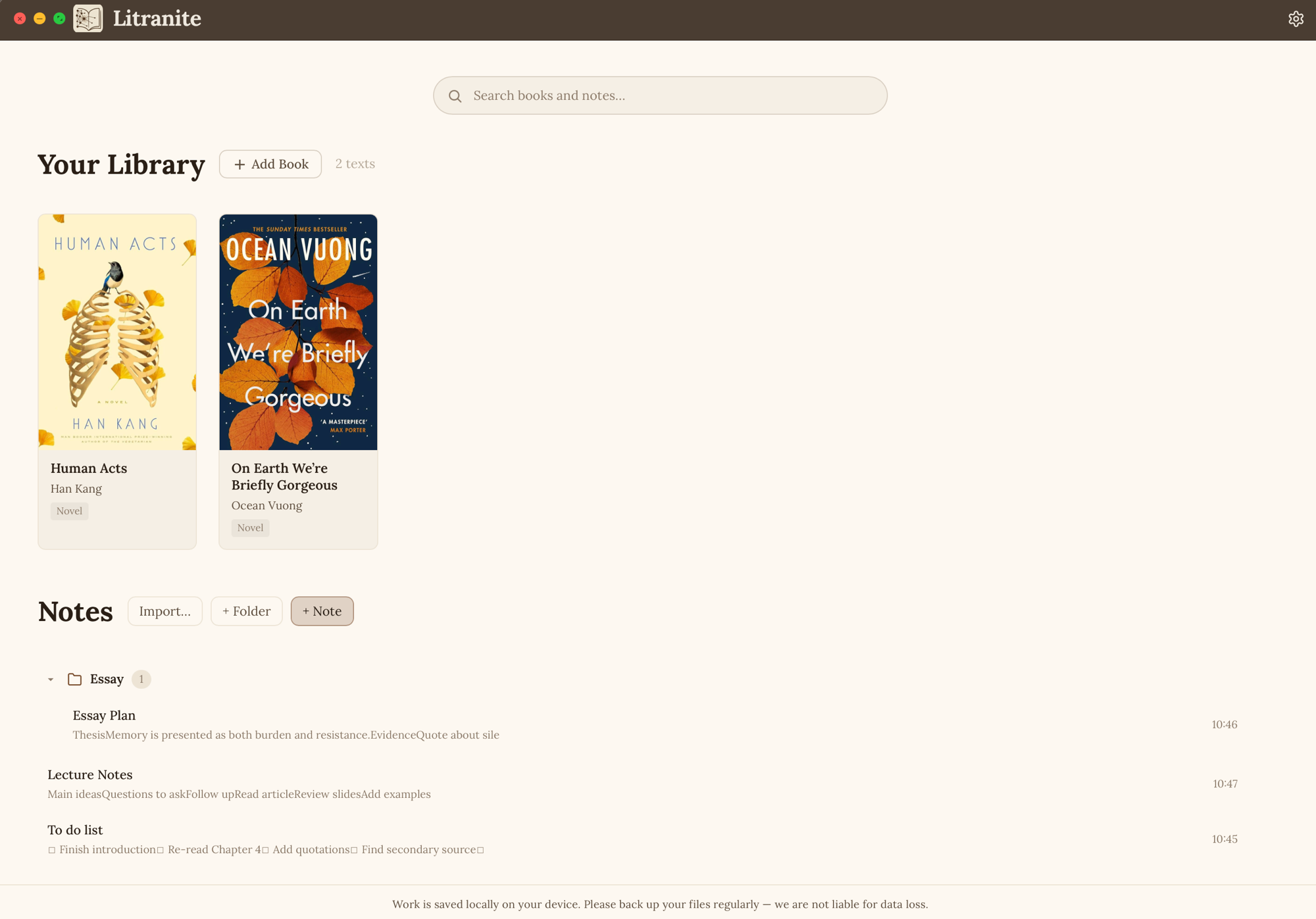
Drop in any PDF and it becomes a book on your shelf. Notes, folders and to-do lists sit right beside them, saved on your own device.
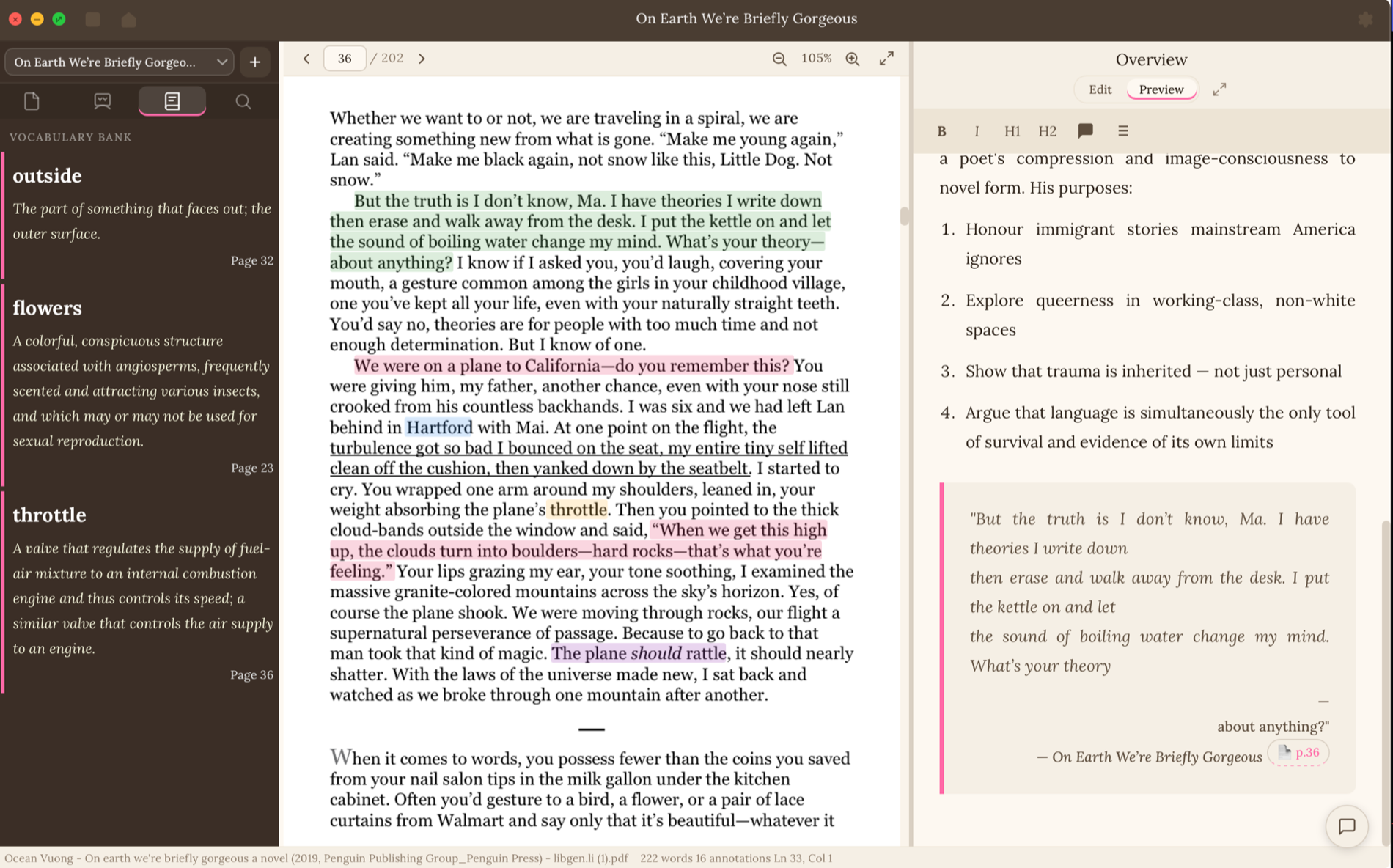
Open a PDF, highlight in colour, and every mark flows into a vocabulary bank and quote list — each one kept with its page. This is the part other note apps can't do.
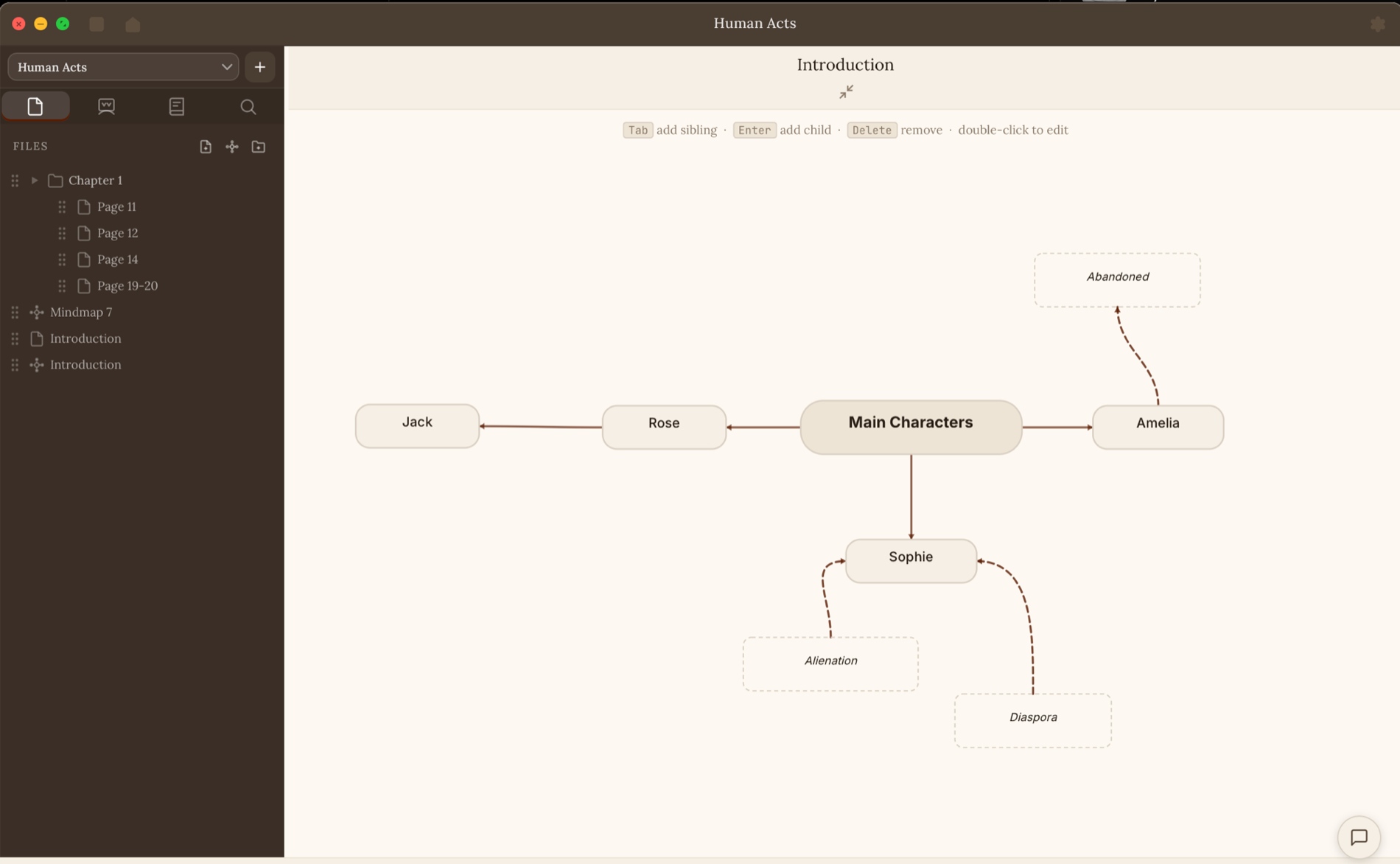
Lay characters, themes, evidence and ideas out as a mind-map and draw the links between them — the big picture, in a single glance.
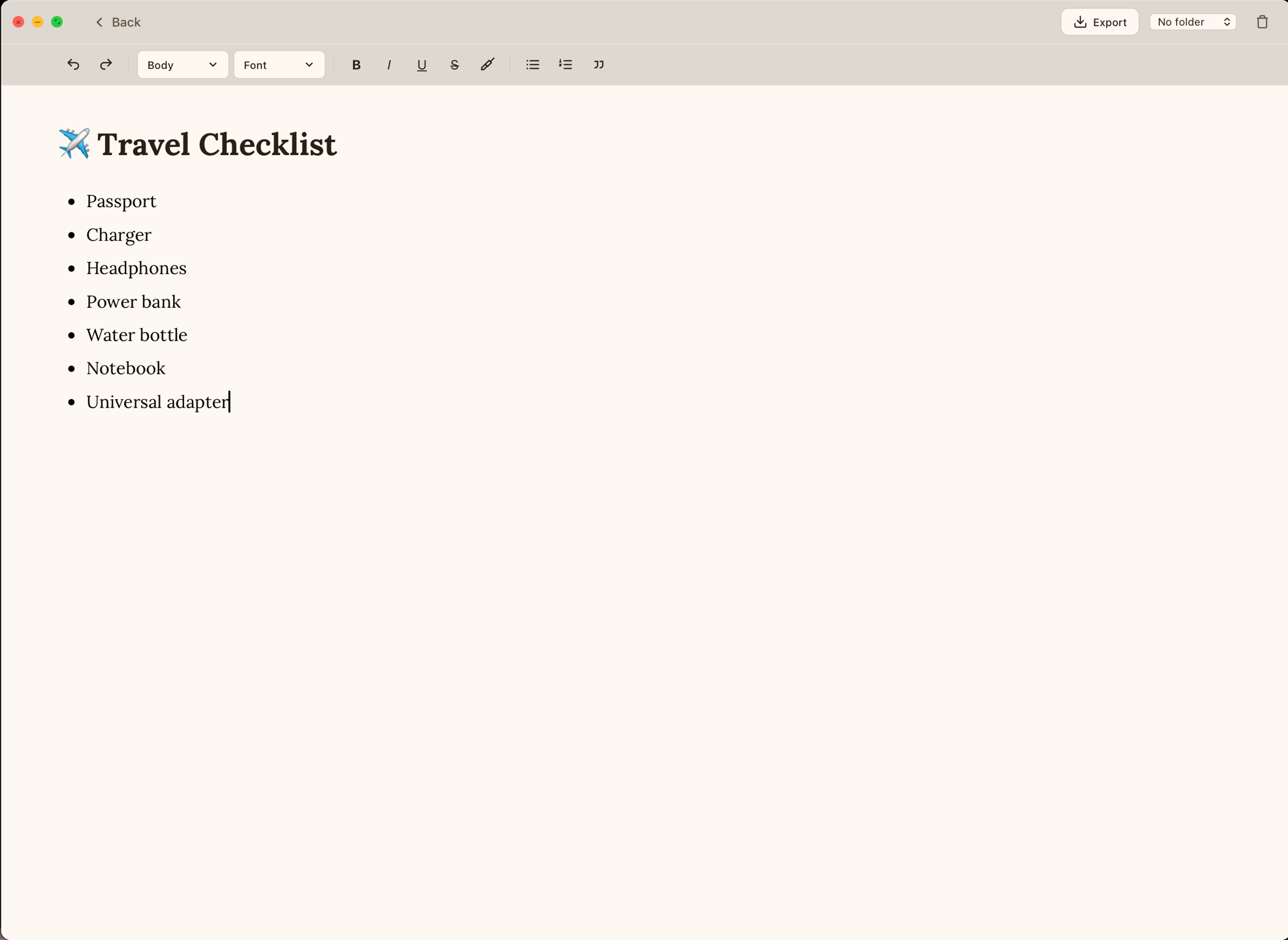
Research notes, a history timeline, a revision sheet, even a travel checklist — a quiet place to write, for any subject or none at all.
You don't need to fit a box. If you open things and want to remember them, Litranite is yours.
…a few of them, up close. Tap a tag to see it in action ↓
English, literature, history, exam season — save quotes with their page numbers, keep a vocabulary bank, and map characters & themes so it all sticks.
Drop in papers and sources, annotate as you read, and connect findings on a mind-map — then draft with every quote and citation already at hand.
Prep set texts and reading lists, mark up passages to discuss in class, and keep the resources for every unit in one calm, searchable place.
Book clubs, hobby projects, a novel you can't put down — anyone who reads and wants to remember it. No account needed, just you and the page.
A novel, a recipe, a contract, a comic, a lab report, a love letter — whatever you read, Litranite is for you too. If you can read it, you can keep it.
Read closely — it's free →Every subject asks you to read something, then write something. Between those two, everything scatters — PDFs in one place, notes in another, files with no system holding them together.
A literature essay, a research project, a history assignment, a week of revision — the path from a source to finished work is far more broken than it should be. We built Litranite to close that gap: one quiet place to read, mark, think and write. No accounts, no clutter, no noise.
For the two of us, it wasn't abstract.here's where it started ↓
A margin is about two centimetres wide. Notes end up squeezed in sideways, arrows cross over each other, and sticky notes fall out. By the time exams come round, the book is a mess and the one note you need is impossible to find.
→ so the page stays clean, your notes get unlimited space, and everything is sorted where you can find it
In IB English, knowing what happens in the book isn't enough. You have to analyse how the writer does it: the techniques, the word choices, the way themes build up. That means annotating in far more depth than I'd ever had to before, and I didn't have a system for keeping track of any of it.
→ so evidence, terms and ideas get organised as you annotate, and connecting them into an analysis gets easier
If you've ever squeezed a note into a margin, or stared at a passage wondering what to say about it, you've had our problem too. That's who Litranite is for.
Built by two students — for anyone with something to read, and something to say.
Not only a great tool for storing and opening PDFs, documents and notes, but also for annotations, flowcharts and mind-maps — pretty much whatever you need. It's very user-friendly, and useful for both parents and teachers alike.
Very convenient, and it organises material so it's extremely easy to locate and use. The offline feature means notes are available at all times.
I really liked the available colour themes, the simple layout, and the ease with which I could create books and notes.
It's aesthetically pleasing and easy to use, which motivates me to study more.
Really helpful for anyone doing English Language & Literature in IB DP, or even MYP. We could customise the theme ourselves, and add all the different novels we read.
Mind-maps — they let me portray my ideas in a much neater way.
The aesthetics, and how there's no need to create an account.
Customisation, the way the different features fit together, and the UI.
A great app with a great concept — helping people get access to all kinds of study materials.
Minimalism.
Still exploring, but it's a good alternative to MS Word.
Real answers from our first users, shared with their permission.
.deb, or .rpm..litranite backup file, copy it across, and import it on the other machine. The file stays with you — we never see it. Partner
We've partnered with IB Way 2 Seven to give Litranite users extra support where it matters most — the assessed work.
Special rate
Download Litranite and get a special referral rate on IB Way 2 Seven's services.
Download Litranite to Get StartedServices are non-refundable. Litranite is not affiliated with or responsible for services provided by IB Way 2 Seven.
Latest release v1.1.0 · macOS · Windows · Linux
Each button opens a quick, illustrated setup guide with the download and the little first-run warnings each system shows — Mac, Windows, Linux.
sealed with care by two students — press the seal, it does something